Autel G-Box3 Automotive Key Programmer for Toyota- Mercedes-Benz All Keys Lost Solution Available in Lahore, Islamabad & across Pakistan
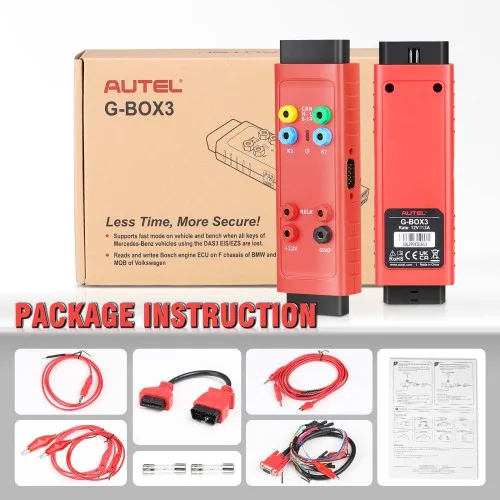
The Autel G-BOX3 is an adapter compatible with Autel’s MaxiIM IM608 and MaxiIM IM508 tablets (with the purchase of XP400Pro programmer) that aids in the programming of keys to Mercedes DAS3 CAN EIS/EXS vehicles in an ALL Keys Lost situation. Buy the Autel G-Box3 Automotive Key Programmer in Lahore from AM Auto Tools with 1 year warranty and setup support, delivered to Islamabad, Rawalpindi, Karachi and across Pakistan.
About this item
- Key programming : The G-Box 3 can be used to program new keys for Mercedes-Benz, BMW, and VW vehicles.
- It supports a wide range of key types, including transponder keys, smart keys, and proximity keys.
- ECU coding : The G-Box 3 can be used to code and program ECUs for Mercedes-Benz, BMW, and VW vehicles.
- This is necessary for a variety of tasks, such as adding new features or correcting errors.
- Live data monitoring : The G-Box 3 can be used to monitor live data from Mercedes-Benz, BMW, and VW vehicles.
- This can help troubleshoot problems and diagnose issues.
- All Keys Lost programming : The G-Box 3 can be used to program keys to a vehicle even if all of the original keys are lost.
- This is a valuable feature for vehicles that have been stolen or damaged.
- Immobilizer reset : The immobilizer system is an anti-theft system that prevents the vehicle from being started without the correct key.
- The G-Box 3 can be used to reset the immobilizer system after a key has been lost or replaced.
- This is done by connecting the G-Box 3 to the vehicle's OBD-II port and following the instructions on the G-Box 3 screen.
- Odometer correction : The odometer is a device that measures the distance that a vehicle has traveled.
- It is important to keep the odometer reading accurately for both safety and maintenance reasons.
- The G-Box 3 can be used to correct the odometer reading if it has been damaged or if it has been tampered with.
- Service reset : The service reminder light is a light that comes on when the vehicle is due for a maintenance service.
- The G-Box 3 can be used to reset the service reminder light after a maintenance service has been performed.
- TPMS reset : The tire pressure monitoring system (TPMS) is a system that monitors the tire pressure in all four tires of a vehicle.
- If the tire pressure in a tire drops below a certain level, the TPMS light will come on. The G-Box 3 can be used to reset the TPMS light after tire pressure has been adjusted.
- ABS bleeding The anti-lock braking system (ABS) is a system that prevents the wheels from locking up during braking. The G-Box 3 can bleed the ABS after a brake repair has been performed.
- Injector coding The fuel injectors are responsible for delivering fuel to the engine. The G-Box 3 can be used to code new fuel injectors or to recode fuel injectors that have been removed and reinstalled.
- Throttle body adaptation The throttle body is a valve that controls the amount of air that flows into the engine. The G-Box 3 can be used to adapt the throttle body after a cleaning or repair has been performed.
- Connect the G-Box 3 to the vehicle's OBD-II port using the OBD-II cable.
- Turn on the vehicle's ignition.
- Connect the G-Box 3 to the Autel IM608, IM608 Pro, or IM608 Pro2 diagnostic tool using the USB cable.
- On the diagnostic tool, select the "G-Box 3" option.
- Select the diagnostic or programming task that you want to perform.
- Follow the instructions on the diagnostic tool screen.
- Autel G-Box 3 device
- Stable internet connection
- Autel key programming tool (such as MaxiIM IM608 or IM508)
- USB cable for connecting G-Box 3 to the programming tool
- Connect Autel G-Box 3 to Your Programming Tool:
- Plug one end of the USB cable into the G-Box 3 device.
- Connect the other end of the USB cable to your Autel key programming tool.
- Power On G-Box 3:
- Ensure that G-Box 3 is powered and properly connected to your programming tool.
- Access Update Section on the Programming Tool:
- Turn on your Autel key programming tool.
- Navigate to the update or firmware update section within the software interface. This location can vary based on the specific tool you are using.
- Connect to Autel Server:
- Connect your programming tool to the Autel server. Make sure you have a stable internet connection.
- Check for Firmware Updates:
- The software will automatically check for available firmware updates for Autel G-Box 3.
- If an update is available, the system will prompt you to download and install it.
- Download and Install Firmware Update:
- Follow the on-screen instructions to download the firmware update file.
- Once downloaded, the software will guide you through the installation process. This usually involves confirming the update and waiting for the installation to complete. Do not interrupt the process.
- Restart Autel G-Box 3:
- After the firmware update is successfully installed, restart your Autel G-Box 3 device.
- Verify Firmware Version:
- In the settings or information section of your programming tool, verify that the firmware version of Autel G-Box 3 has been updated to the latest version.
- FASTER, MORE SECURE
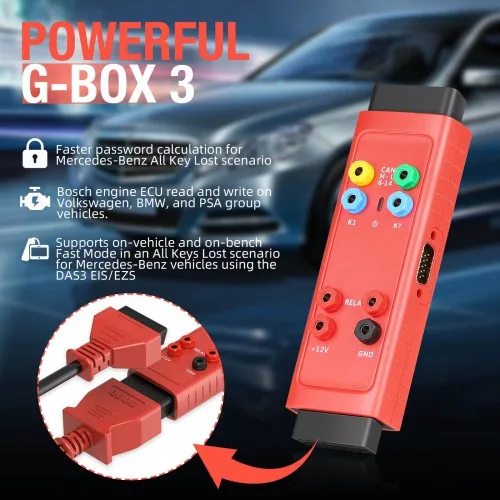
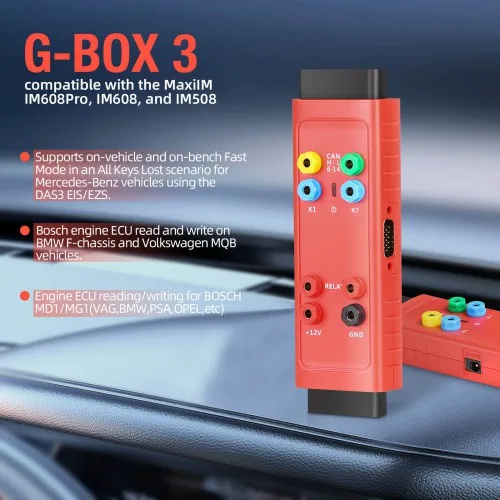
- Supports on-vehicle and on-bench Fast Mode in an All Keys Lost scenario for Mercedes-Benz vehicles using the DAS3 EIS/EZS.
- Read and Write Bosch MD1/MG1 engine ECUs on BMW F series and Volkswagen MQB vehicles as well as other brands such as PSA, Opel etc
- Faster password calculation for Mercedes-Benz All Key Lost scenario
- 8x faster password calculation for Mercedes-Benz W172, W204 and W207 ElS types
- 4X faster password calculation for Mercedes-Benz W209 and W211 El S types
- BMW ME/DDE ISN reading for 20 types of ECUs, including EDC17, MEVD17, MSV90, and MSD87
- Volkswagen CM IMMO data reading and data synchronization for 18 types, including MQB EDC17 and MED17 ECUs
- Bosch engine ECU read and write on Volkswagen, BMW, and PSA group vehicles.
- COMPATIBLE WITH THE
Technical details
| Model | Autel G-Box3 Automotive Key Programmer for Toyota- Mercedes-Benz All Keys Lost Solution |
|---|---|
| Part number | AM1042 |
| Key features | AUTEL G-BOX3 Key Programming Adapter for Toyota-Mercedes-Benz & BMW – Fast Password Calculation Tool |
| Category | Key Programmer |
| Warranty | 1 year |
Compare with similar items
| Autel G-Box3 Automotive Key Programmer for Toyota- Mercedes-Benz All Keys Lost SolutionThis item | 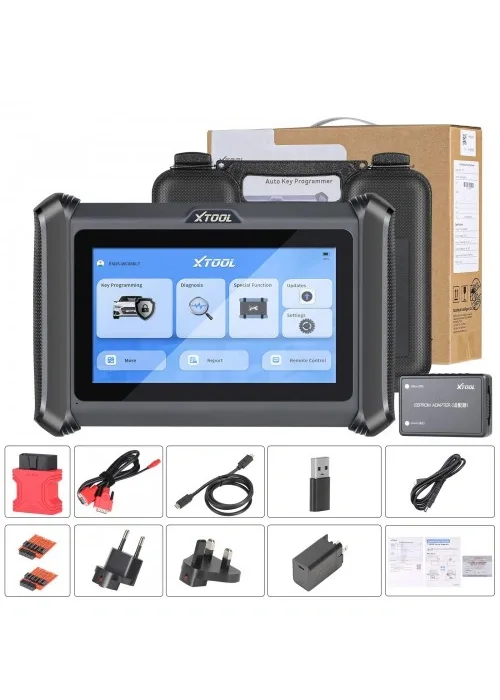 XTOOL X100 PADS key Programmer + Car scanner | 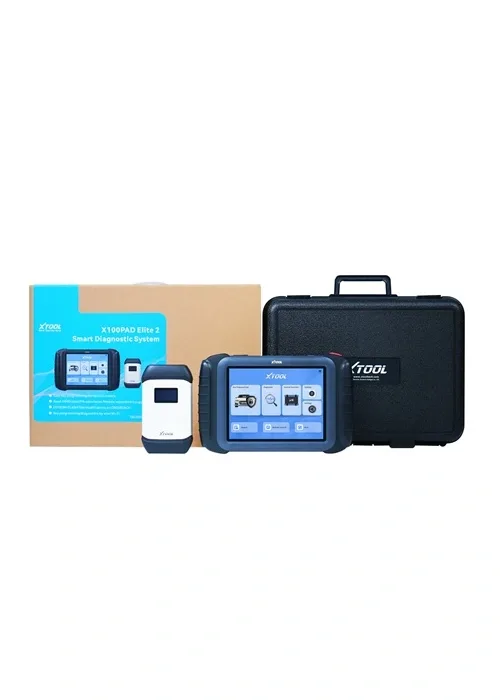 XTOOL X100 PAD Elite2 key programmer | 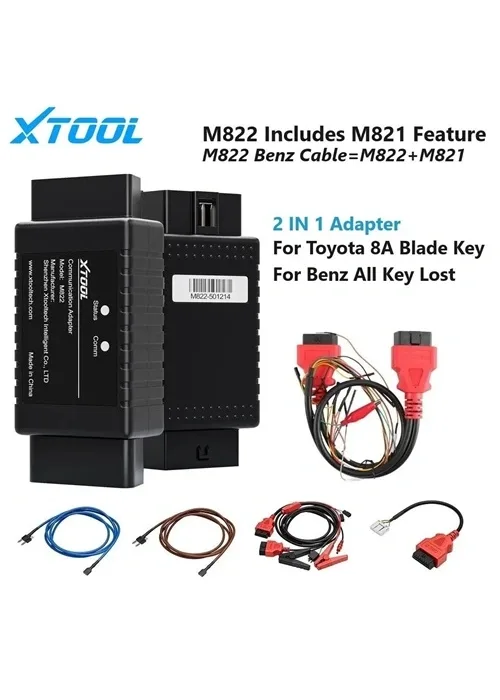 XTOOL M822 Adapter+cable set For Toyota 8A AIl Key Lost Programming | |
|---|---|---|---|---|
| Price | Rs 45,000 | Rs 180,000 | Rs 280,000 | Rs 45,000 |
| Customer rating | 0 | 0 | 0 | 5 |
| Reviews | 0 | 0 | 0 | 12 |
| Part number | AM1042 | AM1062 | AM1061 | AM1039 |
| Warranty | 1 year | 1 year | 1 year | 1 year |
About the Autel G-Box3 Automotive Key Programmer
Product Description
The Autel G-BOX3 is an adapter compatible with Autel’s MaxiIM IM608 and MaxiIM IM508 tablets (with the purchase of XP400Pro programmer) that aids in the programming of keys to Mercedes DAS3 CAN EIS/EXS vehicles in an ALL Keys Lost situation. The G-Box3 also supports DME/DDE ISN Reading and Writing in Boot Mode on applicable BMW vehicles. Bench Method is also supported. All Keys Lost password calculations are approximately 4x to 8x faster.
You can collect the Autel G-Box3 Automotive Key Programmer in Lahore from our shop or have it delivered to Islamabad and anywhere else in Pakistan.
Autel G-BOX3 Programming Adapter for Mercedes Benz All Key Lost and ISN Reading
The Autel G-Box3 adapter, compatible with the MaxiM IM608Pro, IM608, KM100, IM508 (with an additional purchase of XP400), OTOFIX IM2, offers faster and more secure reading and writing of Bosch EDC17, MEx17, MD1, and MG1 CUs and supports on-vehicle and on-bench Fast Mode in Mercedes-Benz All Keys Lost scenario.
What's New in Autel G-box3?
Read and Write Bosch MD1/MG1 engine ECUs on BMW F series and Volkswagen MQB vehicles as well as other brands such as PSA, Opel etc
COMPATIBLE WITH THE MAXIIM IM608 , IM608PRO , IM608 II , KM100 , AND IM508 (with an additional purchase of XP400). (WITH THE PURCHASE OF THE XP400).
G-box3 OBDII Connection Diagram
G-box3 Benz All Keys Lost Desktop Connection Diagram
G-box3 read engine password connection diagram
How to Use the Autel G-Box 3
Gbox 2 vs Gbox3 Gbox2 makes Mercedes all keys lost faster, Gbox3 makes it 4x/8x faster Gbox3 offers faster and more secure reading and writing of Bosch EDC17, MEx17, MD1, and MG1 ECUs and supports on vehicle.
How to Update Autel G-Box 3 Firmware?
Steps to Update Autel G-Box 3 Firmware:
Always refer to the specific user manual provided with your Autel G-Box 3 and the programming tool for detailed and device-specific instructions regarding firmware updates. Additionally, make sure to follow the manufacturer's guidelines to prevent any potential issues during the updating process.
1pc x Autel MaxiIM G-BOX 3
1pc x OBDII Extension Cable
1pc x Quick Reference Guide
Related tools
Many customers pair it with the X100 PADS programmer; the X100 PAD Elite2 is another popular choice for similar work.
Customers who viewed this item also viewed