Description
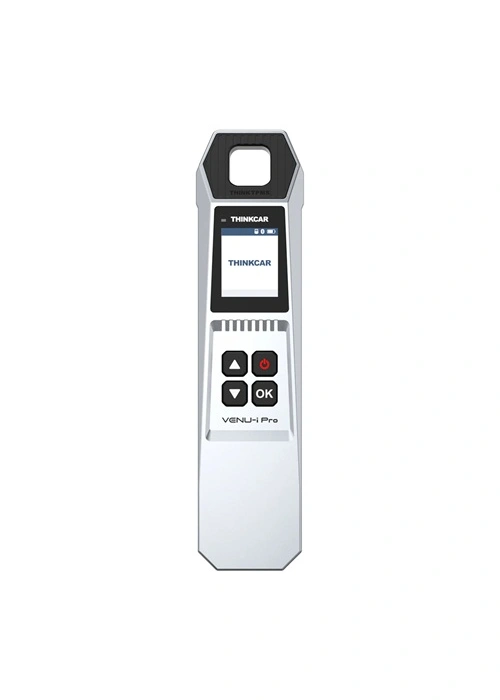
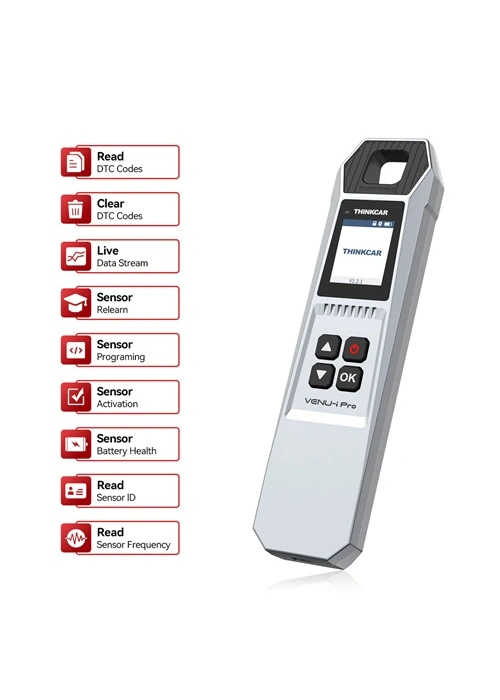
The THINKCAR VENU-i Pro is a next-generation TPMS (Tire Pressure Monitoring System) diagnostic tool designed for professional automotive technicians and car owners. It allows sensor activation, programming, learning, and tire pressure fault diagnosis via Bluetooth on mobile devices. The device also integrates seamlessly with THINKTOOL and Thinkdiag products for expanded vehicle diagnostics.
Key Features
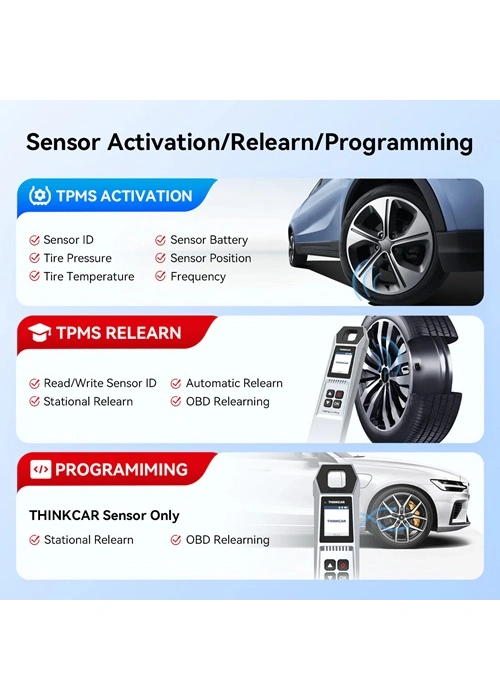
1. Sensor Activation
- Supports all 315MHz and 433MHz TPMS sensors.
- Read, copy, write sensor IDs.
- Display tire pressure, temperature, and battery status in real time.
2. Sensor Programming
- Supports unlimited repeat programming.
- Covers over 98% of imported vehicles with TPMS.
- Multiple ID generation modes: manual input, copy from existing sensor, automatic creation.
3. Sensor Learning & Fault Diagnosis
- Tire pressure matching learning function for fault diagnosis, code reading, and clearing.
- Diagnose sensor or system faults quickly.
4. Wide Vehicle Coverage
Supports 140+ brands globally:
Asia: Honda, Hyundai, Toyota, Nissan, Kia, Subaru, Mitsubishi, etc.
Europe: Audi, BMW, Mercedes-Benz, Porsche, Renault, Volvo, VW, etc.
America: Ford, GM, Chrysler, etc.
Compatible with OBDII protocols: ISO 14230-4 (KWP2000), ISO 15765-4 (CAN), ISO 9141-2, ISO 14229 (UDS), SAE J1850 VPW & PWM, and original maker protocols.
5. Dual Operation Methods
- Standalone via Thinkdiag/i-VENU App: Connects via Bluetooth to your smartphone for TPMS diagnostics.
- Integration with THINKCAR/MUCAR devices: Works with Thinkscan 689BT, 689, 672, Mucar VO6/VO7/VO7S/VO8, Thinkdiag2, BD6, etc.
6. Mobile App Support
- Download Thinkdiag App (iOS) or i-VENU App (Android).
- Device activates automatically when connected and bound to your account.
- Free software downloads for your vehicle manufacturer through the app.
How to Use THINKCAR VENU-i Pro
- Install the Thinkdiag/i-VENU App on your smartphone.
- Sign up and activate your device; it will auto-bind to your account.
- Plug the device into the vehicle OBD port and turn on the ignition.
- Connect your phone via Bluetooth to the device.
- Select the vehicle manufacturer and download the diagnostic software.
- Begin TPMS diagnosis and programming.
Application Scenarios
- Sensor replacement.
- Tire rotation and maintenance.
- OEM assembly and inspection.
- Independent sensor health check.